Getting started with HabariChat is easier than explaining to a client why you didn’t see their DM.
Before getting started with Habarichat, here are some of the requirements you need.
- Your business name
- Your email address
- A strong password
- Your company’s knowledgebase (this can be set up later)
Here’s your step-by-step guide on how to open a Habarichat account:
Step 1: Visit habarichat.ai. Head to our website and look for the bright “Get Started” button. It’s hard to miss.
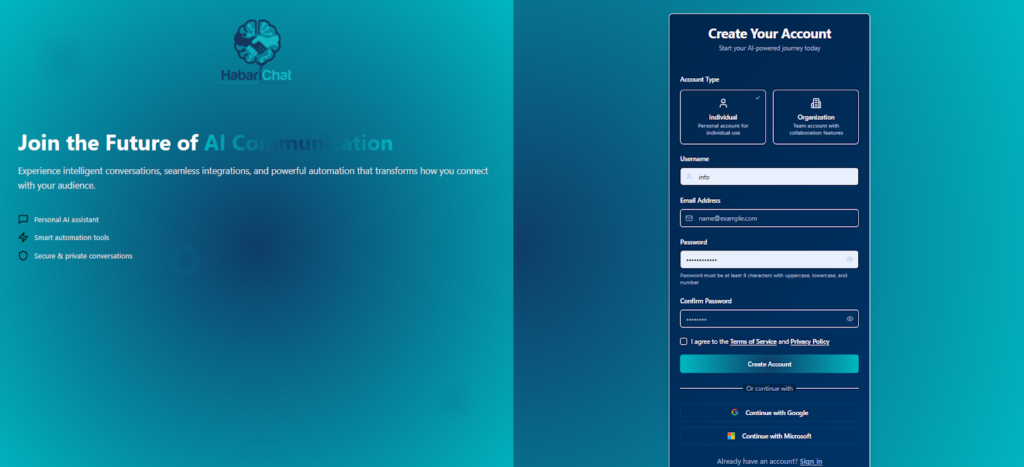
Step 2: Choose Your Plan. You’ll see our pricing options. Whether you’re a solopreneur or a growing agency, there’s a plan that fits your budget. Start with what works for you; you can always upgrade as your DMs multiply.
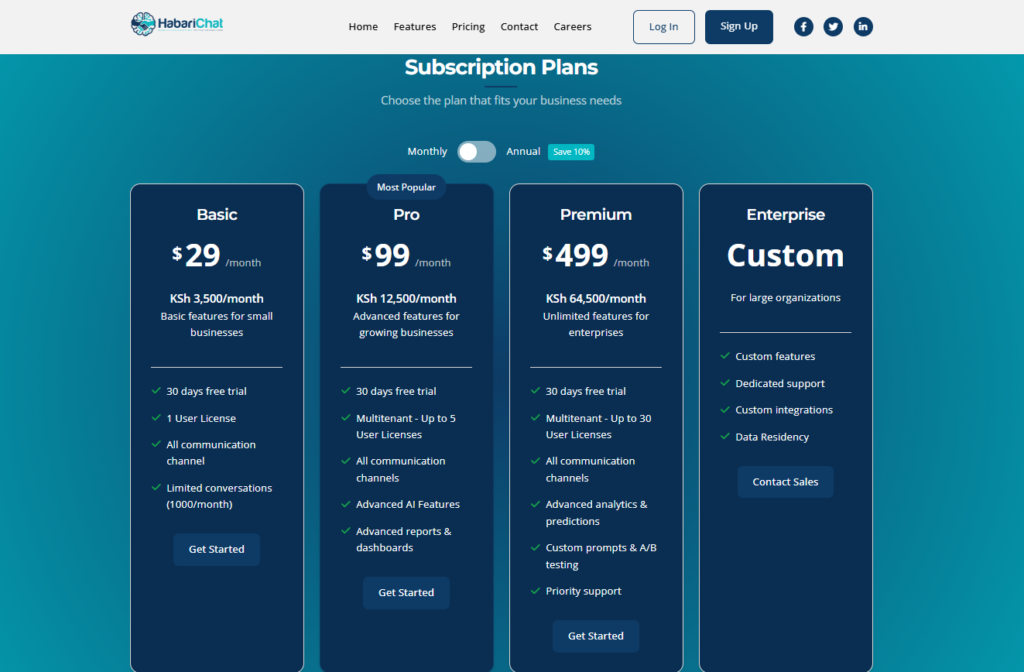
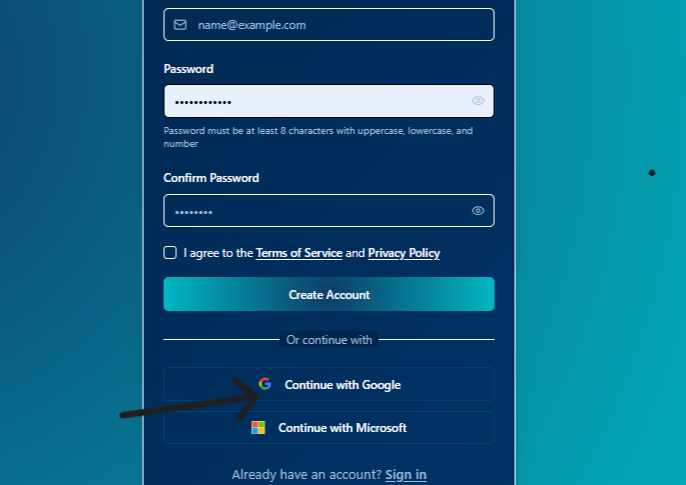
Step 3: Create Your Account. Fill in your business name, email address, and create a strong password. You can also sign up with Google or Microsoft automatically.
Step 4: Verify Your Email. Check your inbox (yes, the one you’ve been neglecting) for a verification link. This 2FA is to ensure that your email is verified. Click it. That’s it.
Step 5: You’re officially in. All that remains is to upload your knowledgebase and connect your channels.
And just like that, you’re live. Total time? Shorter than your morning routine.